Thruday is not just a todo list app. It helps you get more done each day - Discover more

Visual todo lists

A todo list app that makes busy days easier

Thruday’s visual todo list helps you capture tasks quickly, organize your task list with priorities, tags and subtasks, then move important work into Today or Focus when it needs your attention.

No credit card required - used by over 38,785 people
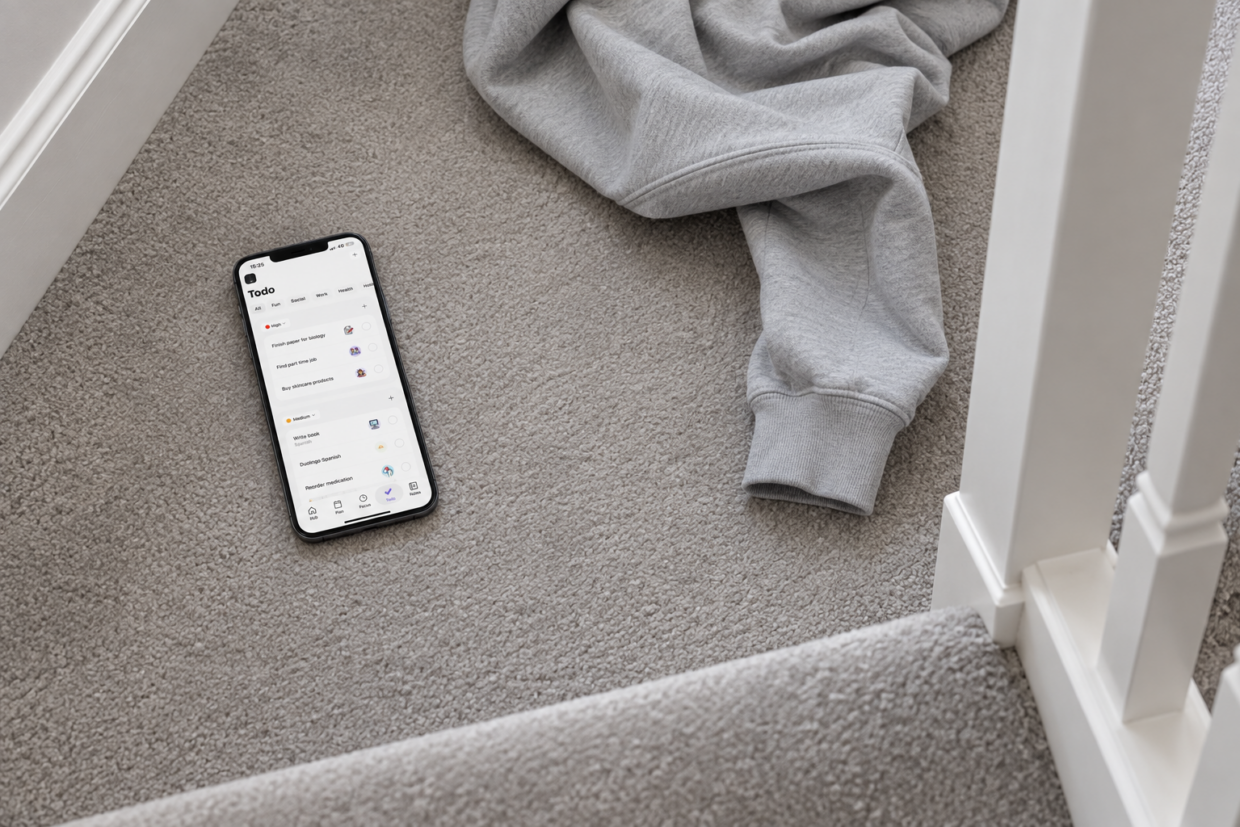
Phone displaying Thruday’s todo list on a carpeted landing beside a casually draped hoodie
Having my schedule and tasks combined into one visual app has been a life saver at university allowing me to stay focused while still attending lectures
Capture first, plan later

A todo list for everything that doesn’t need a time yet

Keep tasks out of your calendar until they need a time. Thruday gives you a flexible todo list app for capturing tasks, building a clearer task list and adding priority or structure when you are ready to act.

Capture tasks before they disappear

Add a task the moment it comes to mind, then leave it in Todos until you have the headspace to decide what comes next.

Try Thruday free

Organized by priority

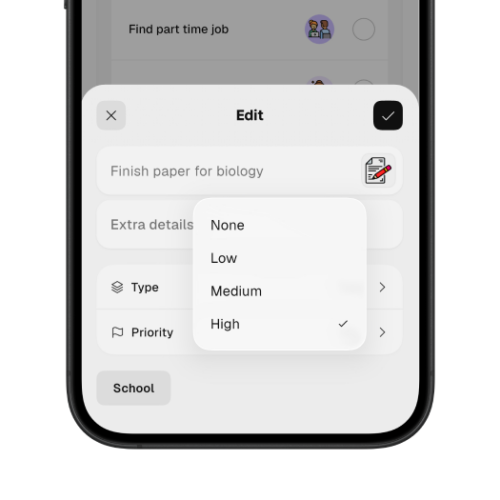
Use clear priority levels so important tasks stand out.

Thruday task priority menu offering None, Low, Medium and High, with High selected

Reorder your task list as priorities change

Drag and drop urgent tasks higher when they need attention, move lower-priority work down when it can wait, and keep your task list flexible as deadlines, priorities and plans change throughout the day.

A task does not need a time, priority or perfect plan the second you remember it. Get it out of your head first, then decide what matters, where it belongs and whether it needs space in Today or Focus when you are ready to act.

Filter your task list with tags

Use task tags to group work, home or other contexts, then filter the list when you only need to see one kind of task.

Try task tags

On iOS, Android and Web

Keep your todo list available across iOS, Android and Web, ready wherever you pick it up.

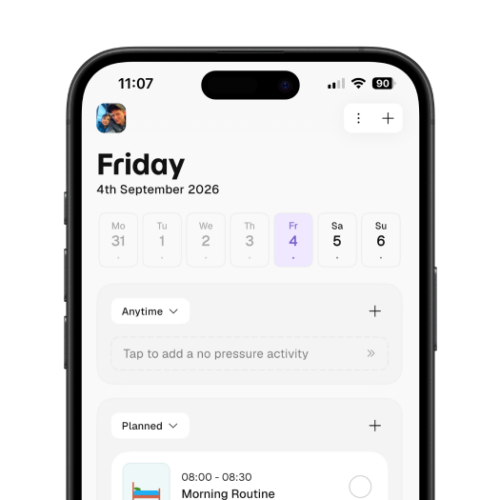
Thruday’s Friday schedule showing Anytime and Planned sections with a morning routine

Move tasks between todo lists and plans

When a task needs more than a place on your task list, move it from Todos into your daily planner, give it a time, and add reminders or alerts. Priority tasks can then sit alongside appointments and routines, with a clear place in your day.

Pick up where you left off

Your todo list stays with you across devices

Add a task on your phone, reorder your todo list on the Web and check it later somewhere else. Thruday keeps your tasks in sync across devices so you can pick up where you left off.

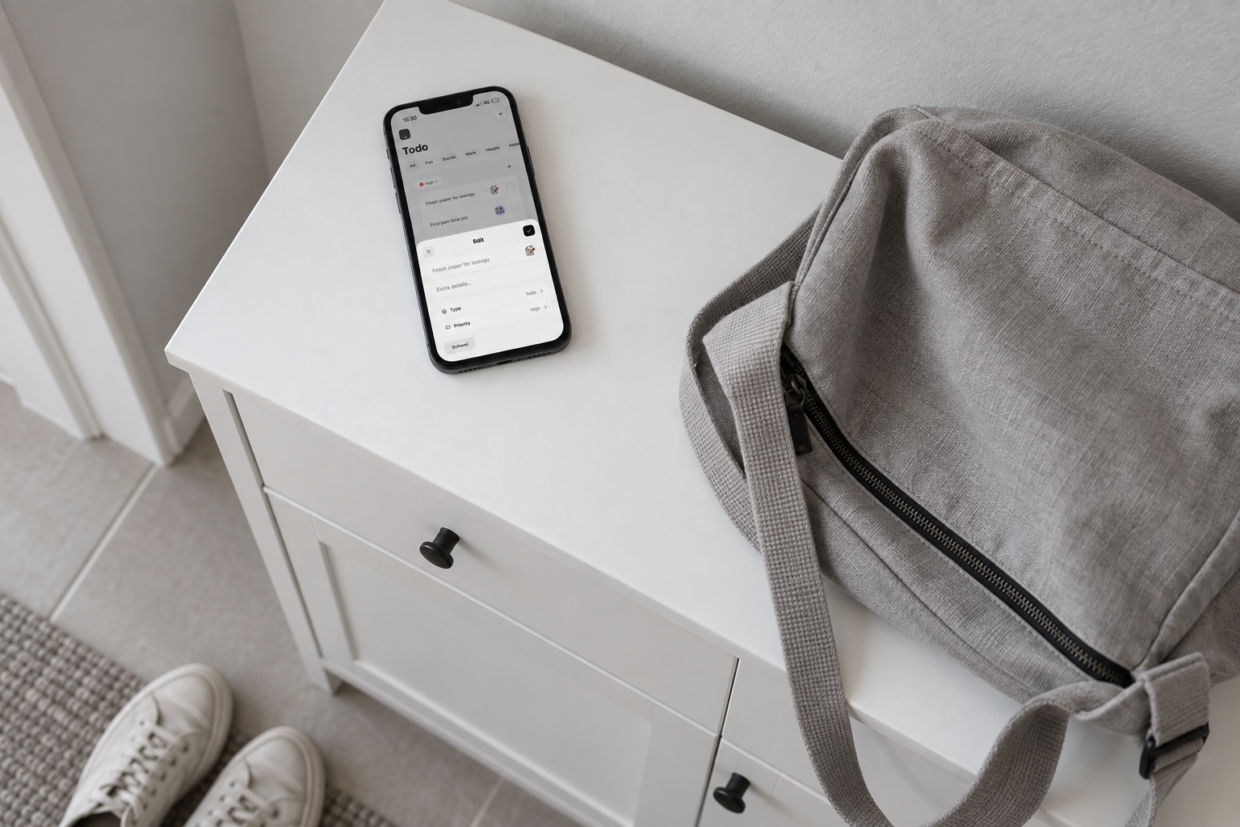
Phone displaying Thruday’s task editor on a white hallway cabinet beside a canvas bag
Built for task management

Practical task management tools in one place

Keep simple tasks simple, add structure where it helps and move important work closer to action without turning your todo list into another system you have to maintain.

Quick task capture

Capture loose tasks in seconds instead of scattering reminders across notes, messages or scraps of paper.

Priority tasks

Use color-coded priorities to make important work easier to spot in a busy todo list.

Task tags

Group tasks by work, home or another context, then filter the list when you need less noise.

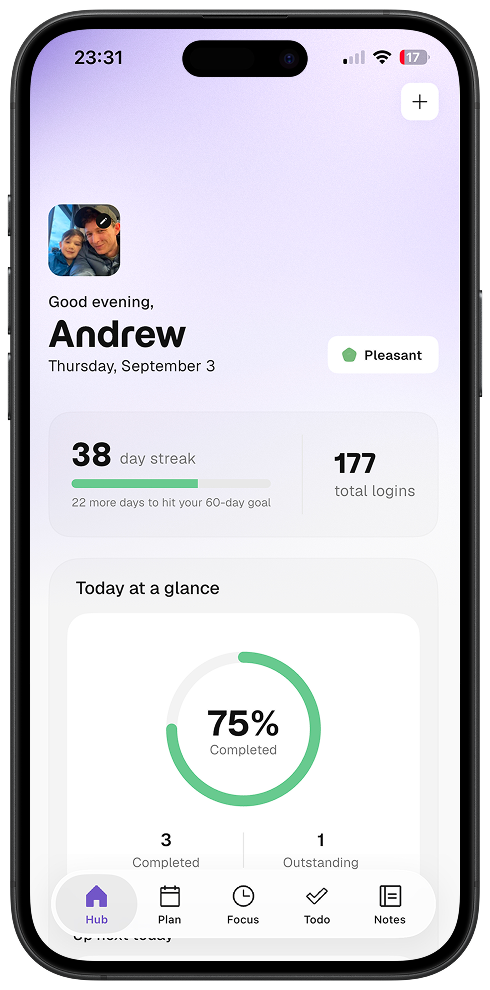
Thruday dashboard showing a 38-day streak and daily progress with three activities completed and one outstanding

Move to today

Give a task a place in your daily schedule when it becomes something that needs your time today.

Start Focus

Focus on a task when you’re ready to give one thing your full attention without the rest of your day competing.

Colors and images

Use colors and images to give tasks familiar visual cues, making a busy todo list easier to scan at a glance.

Used by people who need more than sticky notes

People use Thruday to manage tasks, routines, reminders and daily plans in one place. Their experiences show how that fits into real work, study and everyday life.

Thruday makes it really easy to plan my schedule. It’s visual, easy to use and flexible enough that it helps me at university, at work and during the day.

Harold Belozy

Fantastic app which is so easy to use. It keeps me organised and on schedule which is more than other apps have managed to do so far. Would highly recommend it to others who struggle to remember things. It has changed my life!

Zennor97

If you have issues with remembering, scheduling etc then this app is for you. It’s almost like having a personal assistant in your pocket! To have the ability to keep notes, checklists, my schedule, appointments etc all in one place has been a godsend with reminders and alerts to give me that ‘nudge’ I often need!

Hayziie

I’ve never been good in being productive and organised and had to use different things which made it even worse. Having an app where I got my notes, checklists, reminders and help from my partner to manage it has changed me, reeled in a promotion at work and I feel so much less stressed. Would highly recommend to anyone who is neurodivergent and struggling.

Addie User

My experience with Thruday so far has exceeded expectations! If you are looking for some extra help with organising your day and your life, then look no further. Will be using this App and it’s great features for the foreseeable!

Beckyc1194

More than a place to store tasks

Powerful todo lists are easy to tackle and complete

A todo list is never enough to keep track of your whole day. Thruday isn't just a todo list app. It’s a productivity system that extends into your daily plans.

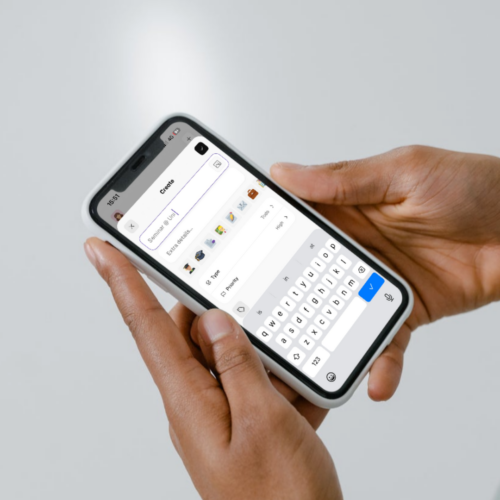
Hands holding a phone while entering a new task in Thruday with the onscreen keyboard

Brain dump to your todo list

Once something is written down, it no longer has to stay active in your head. Keep loose tasks, reminders and ideas together in one list you can return to, giving unfinished work a reliable place to live while you focus on what is already in front of you.
Try Thruday free
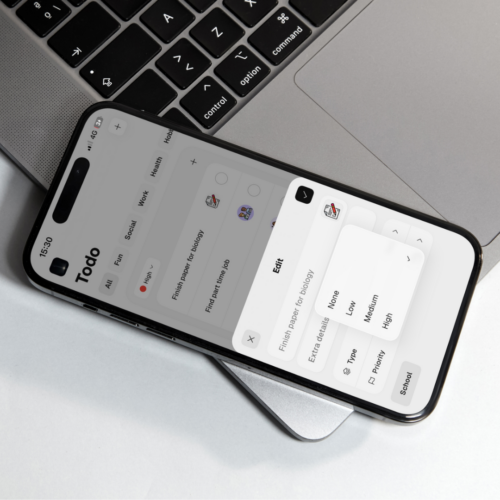
Phone resting on a laptop with Thruday’s task priority menu open

Set priorities that suit your day

A task becomes easier to act on when it has a clear place in the day. Bring important todos into your daily plan so they sit alongside appointments and routines, making the time around them visible instead of leaving them as another item waiting on a list.

Try Thruday free
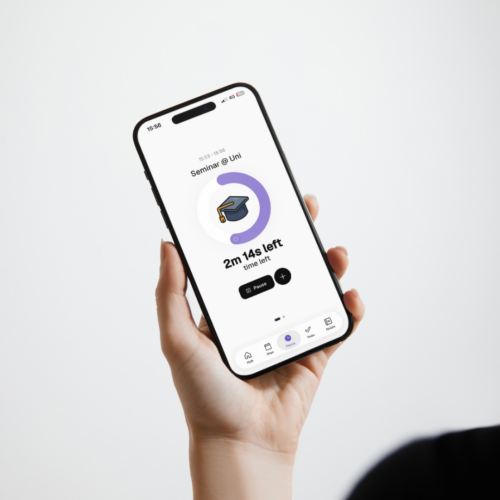
Person holding a phone showing Thruday’s visual Focus timer for a university seminar with 2 minutes 14 seconds remaining

Focus when the time is right

Todos are only one part of Thruday. Visual planning, reminders, Focus and mood tracking sit in the same app, so tasks can move through the day without being copied between separate tools or disappearing into another system you have to manage.

Try Thruday free
Where a todo list helps

Simple todo lists for work, study and everyday life

Use the same todo list across different parts of life, from household jobs and work tasks to study, errands and personal admin. Keep everything in one place, then organize each part in the way that makes sense for the moment.
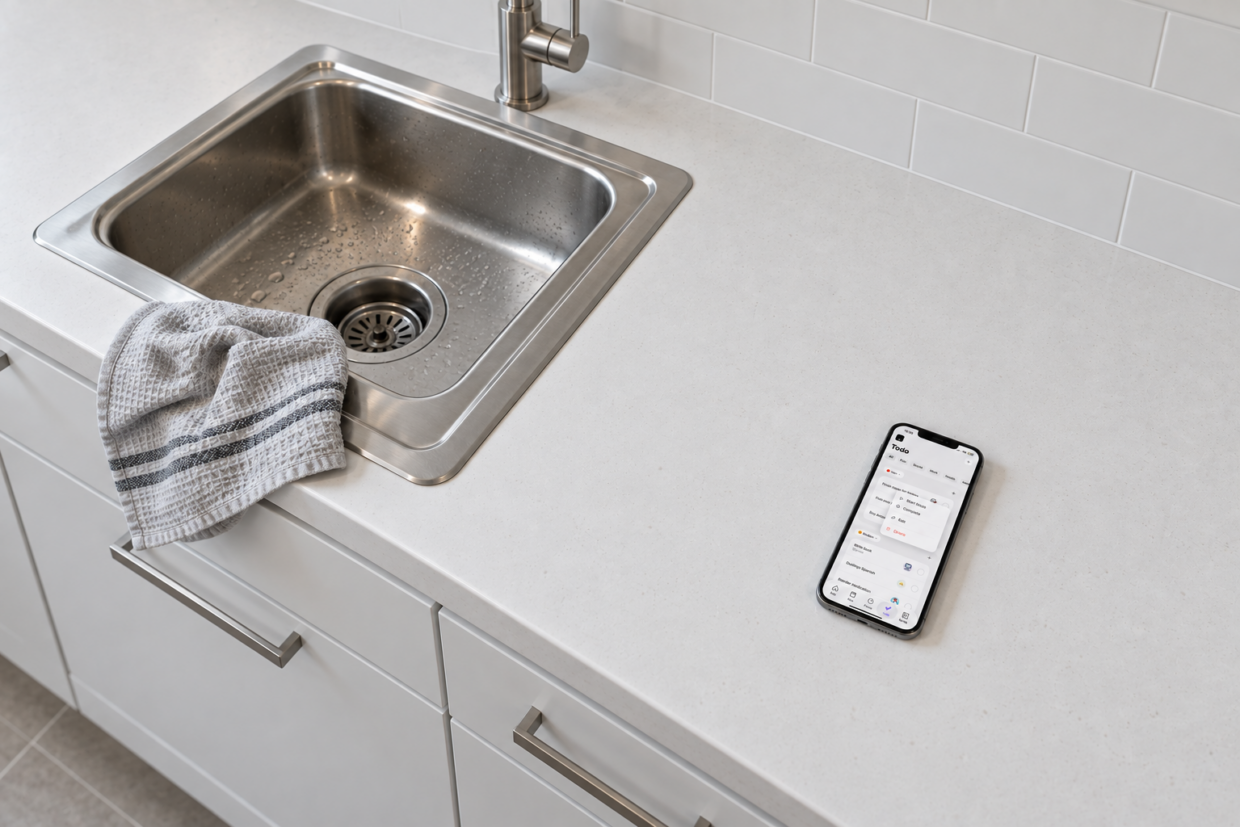
Phone displaying Thruday’s task menu on a kitchen counter beside a grey dish towel

Around the house

Keep chores, household tasks and small jobs in one todo list, then prioritize what needs doing now and leave the rest for later.

While at work

Collect work tasks, deadlines and follow-ups in one todo list, using priorities and tags to keep urgent work easier to find.

Study & university

Keep assignments, reading, review and study tasks together, then break larger pieces of work into subtasks when they need more structure.

Ideas & reminders

Use your todo list as a quick brain dump for ideas, reminders and loose tasks, then come back later when you’re ready to sort what matters.

Shopping & errands

Build a practical todo list for shopping, calls and errands, then group or reorder items around where you’re going and what needs doing first.

Personal admin

Keep forms, bills, appointments and other life admin visible in one todo list instead of relying on memory or scattered notes.

Still have questions?

Questions about subtasks, priorities, tags, reordering, moving a Todo into Today or starting Focus? The FAQs cover how Thruday’s todo list works in practice.

What features are included for free in the Thruday app?

Thruday includes a strong free set of daily planning features, including visual daily planning, priority to-do lists, reminders and notifications, thousands of images and colors, and breathing exercises. An optional subscription unlocks advanced mood analytics, custom categories, journaling, more customization, calendar sync, and future premium features.

How does Thruday support daily executive function?

Thruday supports daily executive function with visual timelines, reminders, task structure, and tools that make it easier to start tasks, move between activities, and stay grounded through the day. It is designed to reduce friction around planning, transitions, and follow-through, while also supporting emotional awareness and wellbeing.

How does visual planning help neurodivergent people with daily life?

Visual planning can make the day easier to understand at a glance. Thruday uses visual structure, routines, reminders and flexible planning tools to help reduce task and time blindness, support calmer transitions and make daily plans easier to follow.

How do notifications improve time awareness?

Consistent reminders and in-app alerts can make it easier to notice the flow of the day and stay connected to what is coming next. Over time, that can help build better time awareness and reduce the mental effort of trying to keep track of everything without support.

How does Thruday help you prioritize tasks?

Thruday helps you prioritize tasks by making it easier to see what matters now, what can wait, and what belongs later. Clear task structure, visual planning, and simple priority tools help you stay focused without making the day feel rigid.

Can I reschedule appointments and plans without starting over?

Yes. Thruday is built for flexible daily planning, so you can reschedule appointments, move tasks, and adjust the day without rebuilding everything from scratch. That makes it easier to stay on track when real life shifts.

Can I use Thruday for routine planning?

Yes. Thruday supports your daily agenda and routine planning with flexible structures that help you build repeatable parts of the day without forcing a rigid system. You can create routines, adjust them when needed, and keep them useful in real life.

Does Thruday support brain dumping and planning later?

Yes. Thruday gives you a place to quickly capture ideas, reminders, and loose tasks before they disappear. You can brain dump first, then come back and turn everything into a clearer plan when you are ready.

Where can I download Thruday?

You can download Thruday on Apple and Android devices through the Apple App Store and Google Play. Thruday is also available on the web for free.

How much does it cost to use Thruday?

Thruday includes free visual planning and to-do list features, with no credit card required to get started. Optional premium subscriptions unlock extra features, but you can begin planning, building routines, and organizing tasks for free.

Does Thruday have advertising in the app?

No. Thruday is designed to be distraction-free, and we do not include advertising in the app. We are committed to keeping the core planning experience free without ads.

Is my data and privacy safe and secure with Thruday?

We take privacy and security seriously and use strict measures to protect your data. We do not sell your data to third parties. We do use limited anonymous data to help the app run reliably, and you can read more in our privacy policy.

Free Todo lists

Start a todo list and manage tasks for free

Create your first todo list, add tasks and set priorities when they help, then keep everything flexible until it needs a place in your day. Thruday’s free Todo tools are available on iOS, Android and Web.

No credit card required - used by over 38,785 people
Designed for different ways of thinking and planning
  • ADHD
  • Autism
  • AuDHD
  • Epilepsy
  • Dyslexia
  • Executive Dysfunction